

Create and manage projects in REDCap
Here you find information on how to create a new project in REDCap and how to manage the different stages of a project’s life cycle.
Project creation
Once logged in to REDCap you can start creating a new project. When pressing “Send Request” an automated email will be sent to the REDCap administrator who needs to approve the request before you can start working with your project.
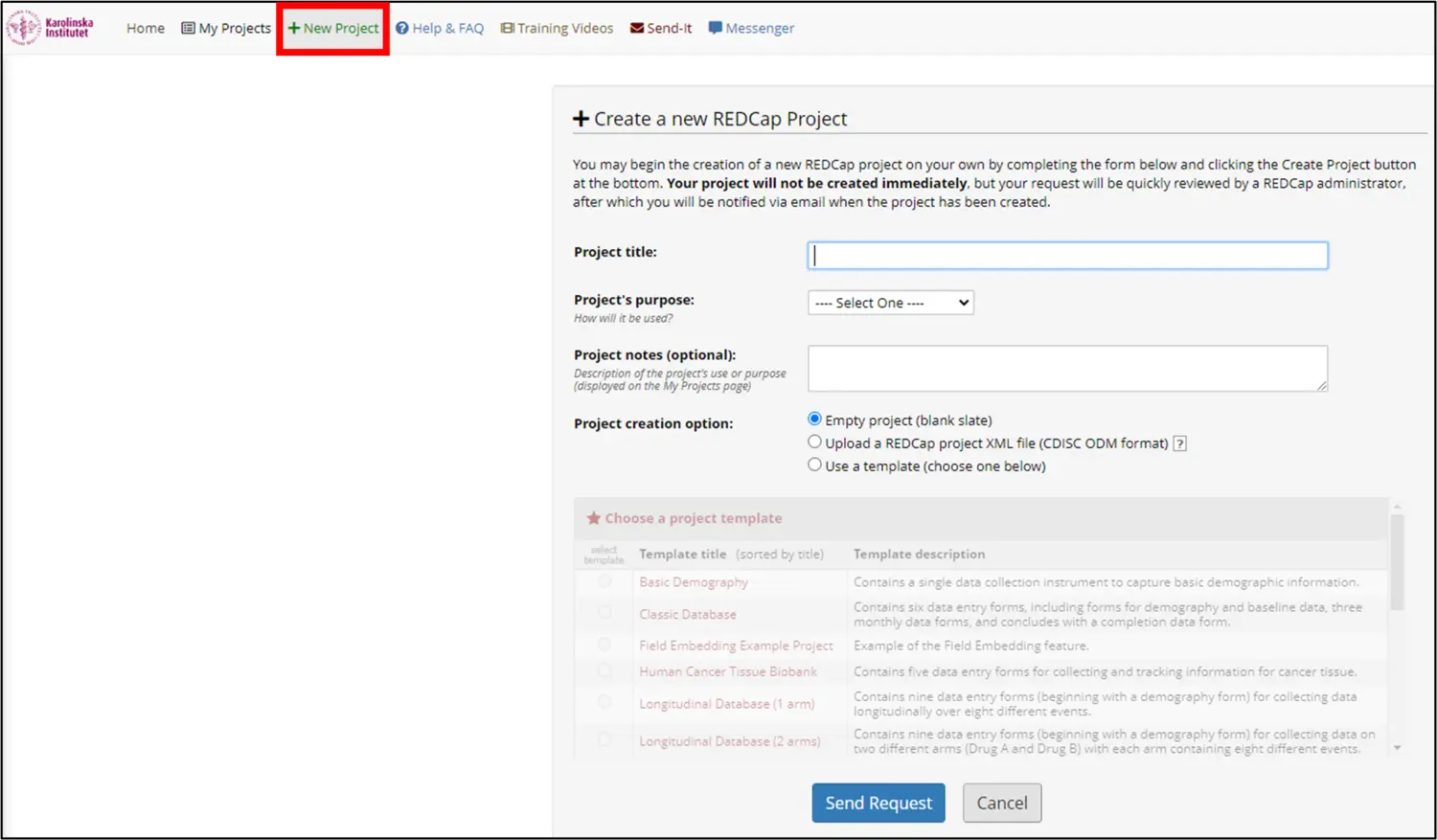
Your REDCap administrator will also help with:
- Approval of copies of existing projects
- Approval of changes in projects that have gone into production
- Approval of API tokens for projects
- Activation of MyCap
- Activation of external modules in projects
- Activation of built-in functions such as "TwilioSMS” and “Double Data Entry"
To get in contact with your REDCap administrator, please send an email to redcap@ki.se.
Please note that only users with KI ID can create new projects. External users can only gain access to already existing projects if the project owner provides access for that specific user. The project owner deals with the management of the project and new users within the project. User rights can be limited and specific for each user who has access to the project.
Project management
The REDCap project goes through four different stages during its life cycle.
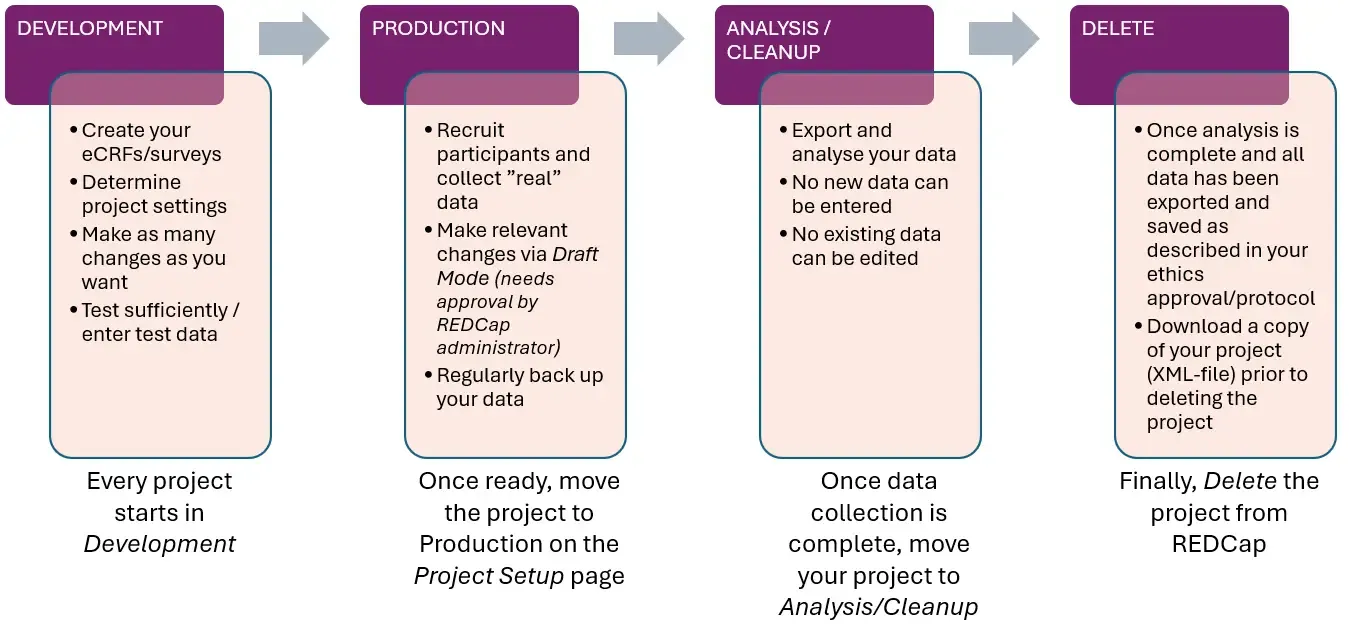
- Development – This is where you create and test your instruments before collection of data starts. Make sure you test your instruments properly and double-check that everything works as intended before moving to the next phase.
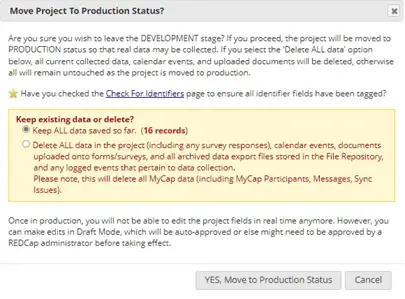
- Production – Once you’re ready to start collecting data, the project can be moved to Production mode. Changes that are made to the instruments/project at this stage might need approval from the REDCap administrator as changes made in Production can affect already collected data. For this reason, we recommend that the dataset is exported every time before any changes are made to an ongoing project.

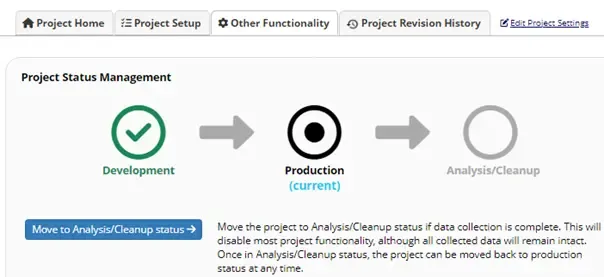
- Analysis/Cleanup – When the data collection is finished, the project should be moved to Analysis/Cleanup mode. No new data can be entered at this stage. All data should be downloaded and stored on a suitable KI server.
- Delete – Once analysis is done and the study is considered completed, data should be exported and saved. A copy of the project can be downloaded as an XML-file. Thereafter, the project should be deleted from REDCap.

Inactive projects will be removed from REDCap
In case your REDCap project has been inactive for more than 2 years, the project status will be changed to Completed. This means that the project will still exist on the REDCap server but will no longer be accessible. If you notice your project is no longer accessible and you wish to regain access to it, please contact redcap@ki.se so that we can open it up for you again. If we don’t hear anything from you, the project will be removed from REDCap entirely after an additional 6 months.
If your project will be inactive during longer periods (e.g. between follow-up events), you can keep its status active by initiating a data export or editing project functions and settings.