
Writing a Data Management Plan (DMP) in DMPOnline
This is the manual for creating a Data Management Plan in the software DMPonline.
Sign in
- Go to http://dmp.ki.se/
- Choose “Sign in with your institutional credentials”
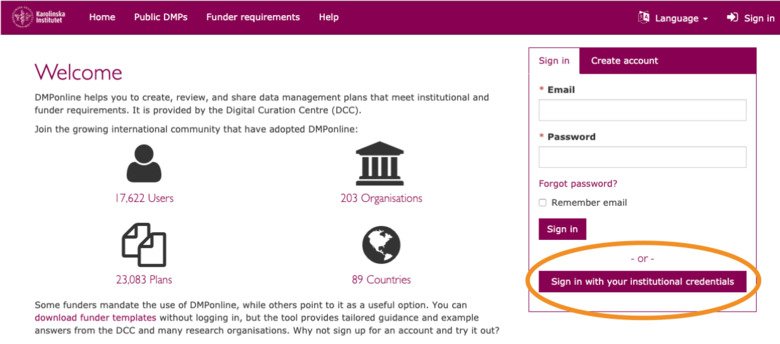
The first time you sign in you will have to create a DMPOnline account and connect it to your KI log in.
Choose Karolinska Institutet from the institution list and fill in the rest of the information on the "Create Account" tab.
(Next time you will be able to sign in directly with your KI ID and password)

- Sign in with your KI-ID and password.
Creating a plan
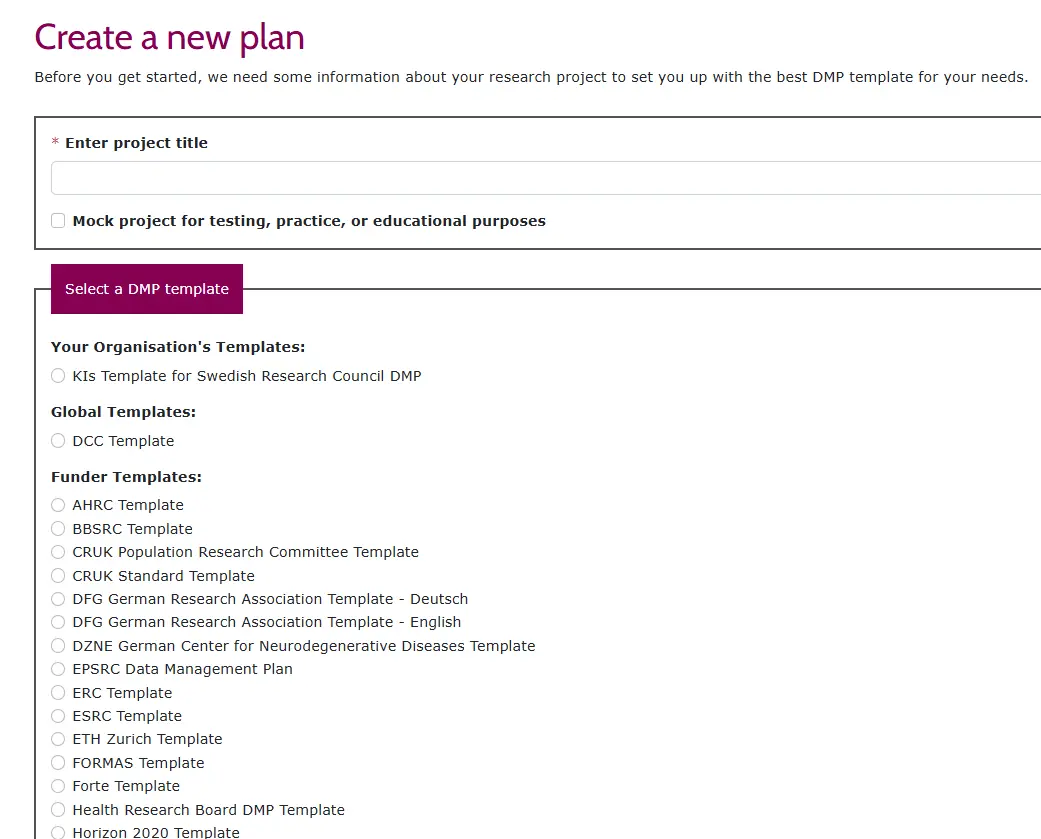
- Type in the title of the project
- Start typing the name of the funder from the "Select the primary funding organisation). For example Horizon for Horizon projects.
- Especially for Swedish Research council projects select the box “KI:s Template for Swedish Research Council DMP" in order to access KIs own Swedish Research Council template.
- Choose “Create plan”
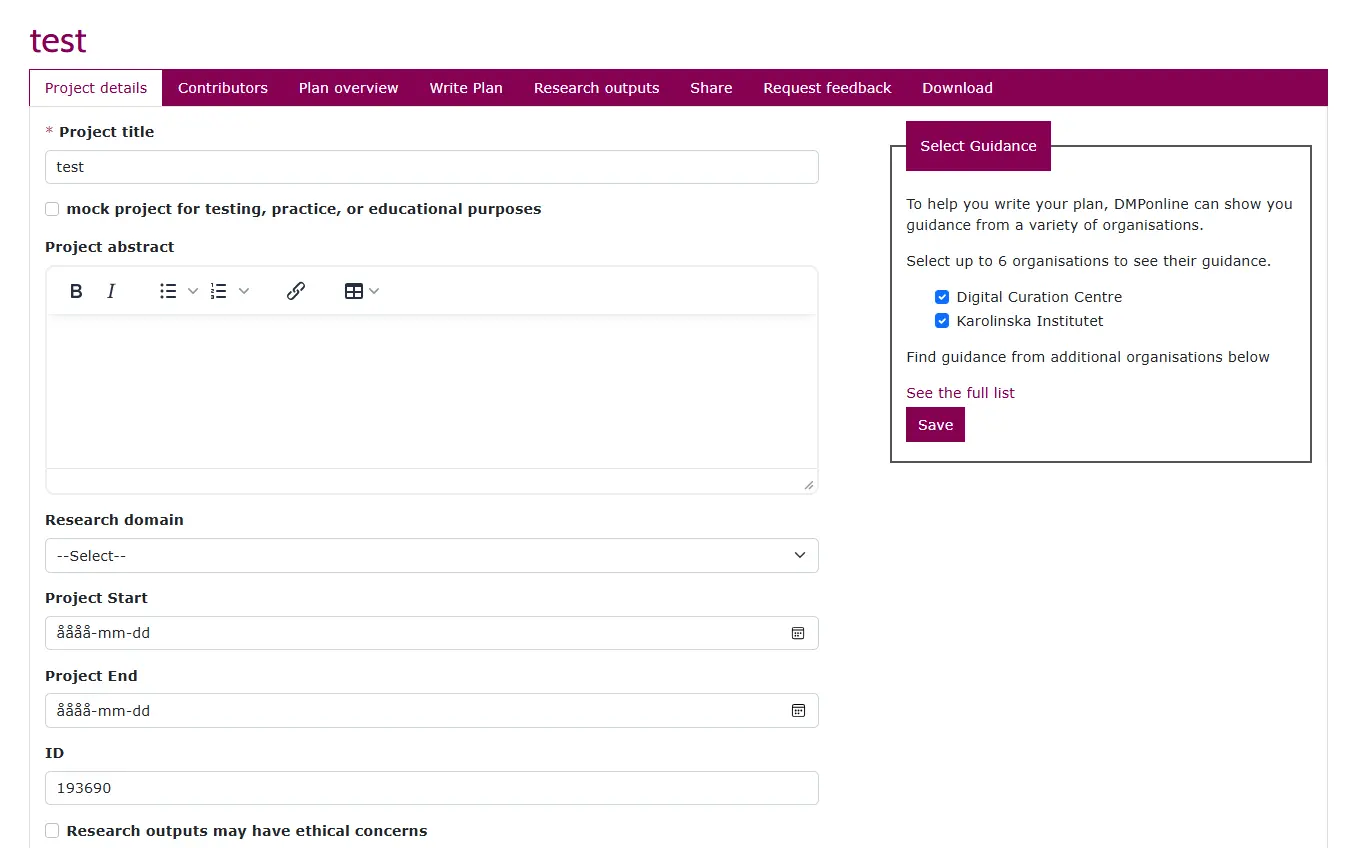
Filling in Project details
Select guidance, from KI or the Digital Curation Centre (DCC)
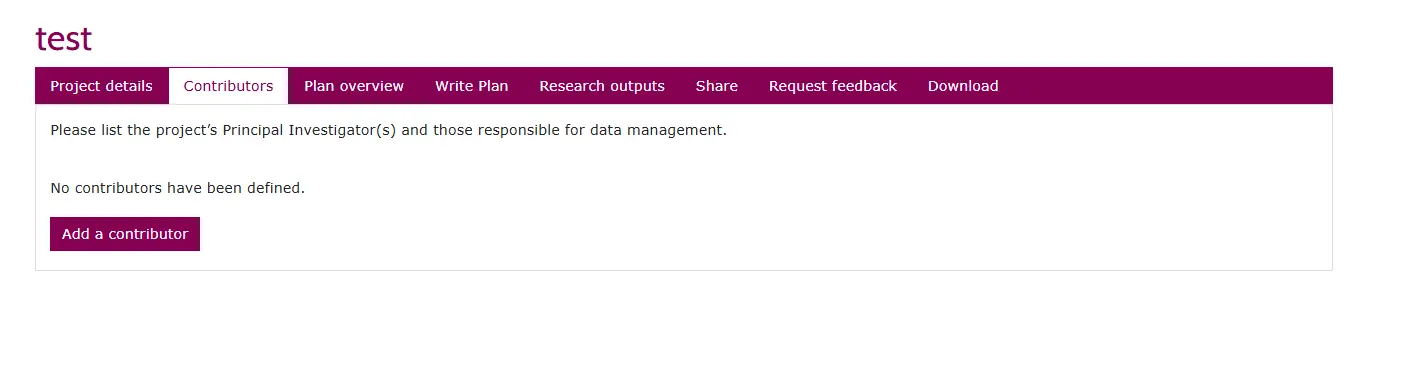
Contributors
List the project’s Principal Investigator(s) and those responsible for data management. Click on the Add contributor button
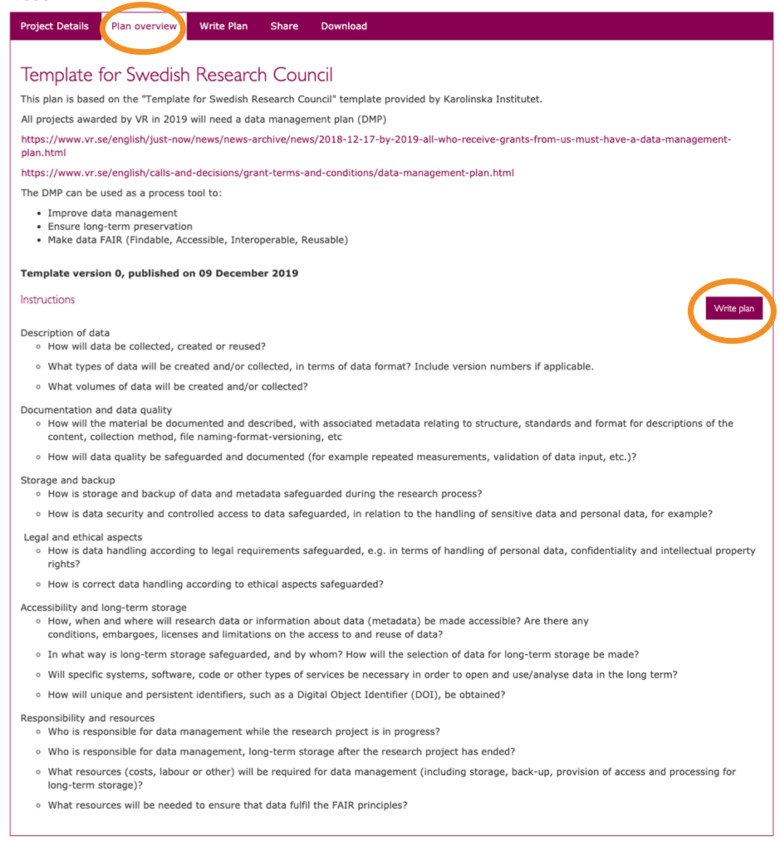
Plan overview
- Choose ”Write Plan”
- Save often! (Since it is not saved automatically.)
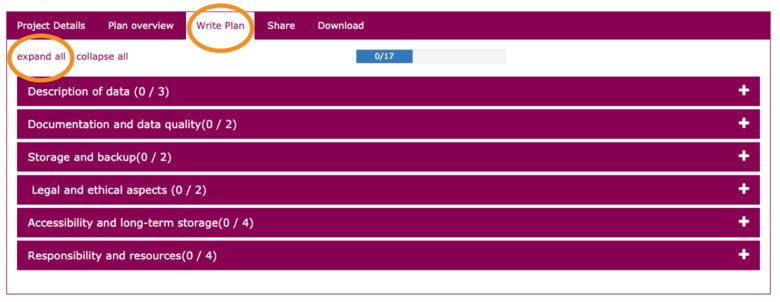
Expand Template
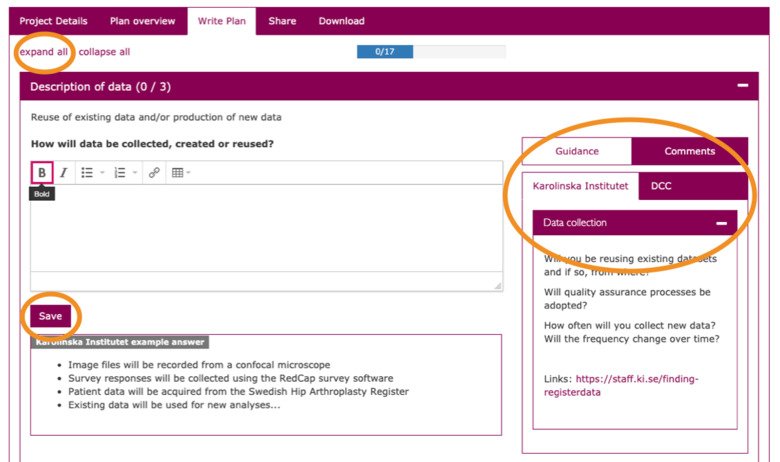
To start filling in the template we advise you to choose “Expand all”.
Fill in the template
Don't forget to take help from the KI guidance columns in the right margin and the KI example answers! Continue to click the “Save” button often, since the system does not save automatically. If you are interrupted, that will guarantee that you may continue completing the form later on by picking up from the “My Dashboard” page.
Resuming an already existing plan
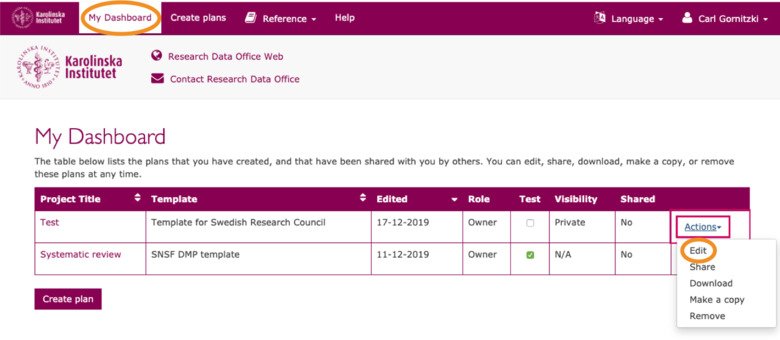
If you already have started creating a plan, but paused the writing, or a colleague has asked and permitted/shared an already existing plan for you to complete, you will find it on “Your Dashboard”.
Research outputs
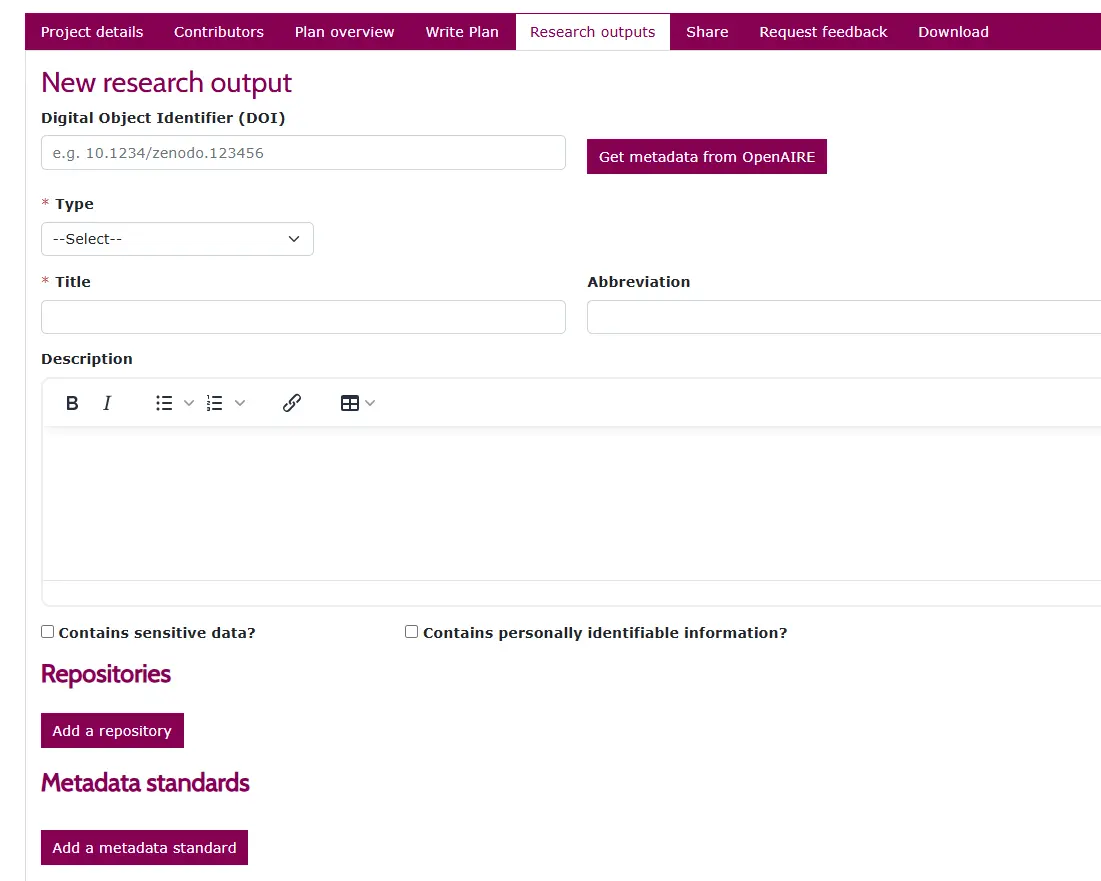
Here you can add:
- Digital Object Identifiers
- Metadata Standards
- Repositories
Share your DMP
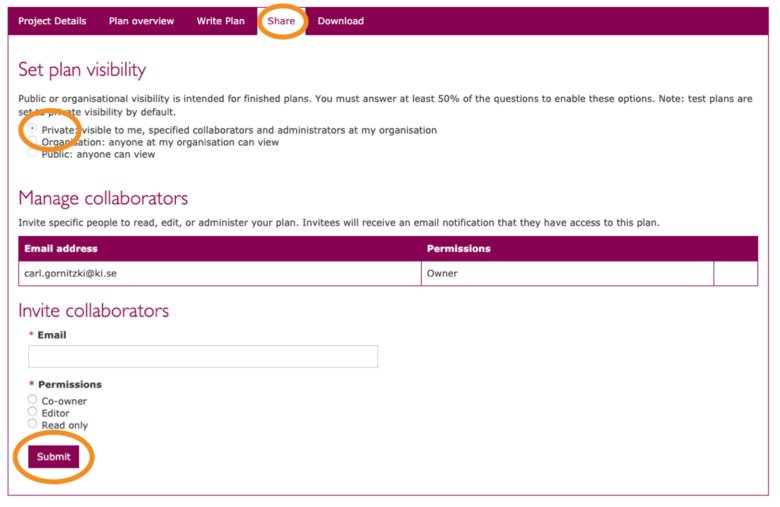
Choose if you want some KI colleagues to add information to the plan before it is finished.
Request feedback
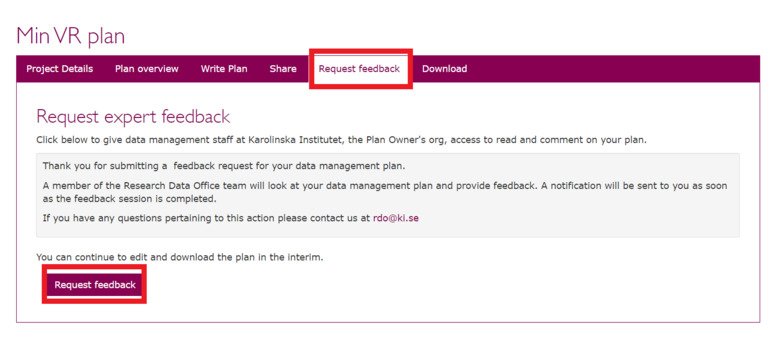
Select the Request feedback tab and click on the Request feedback button. A member of the RDO team willl provide feedback and you will get a notification when we have looked at your plan.
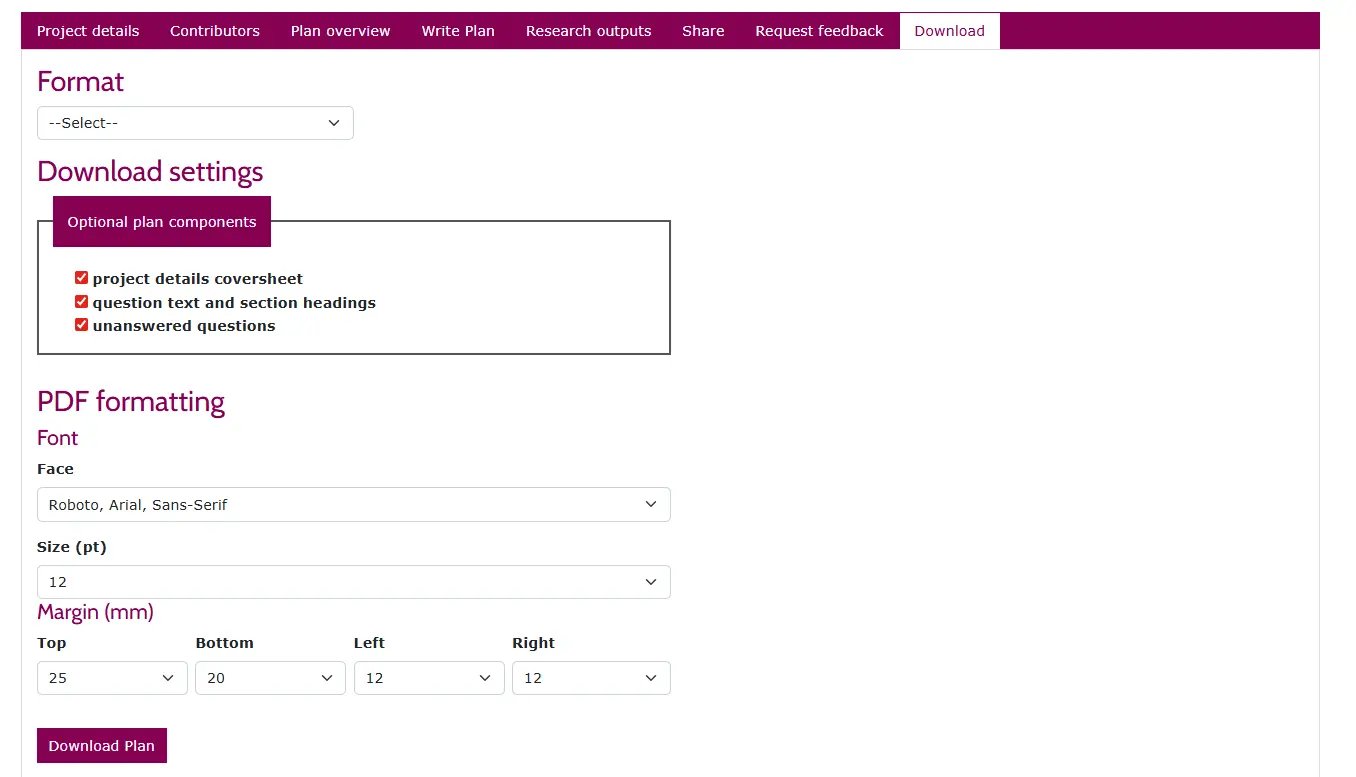
Alternatively, export the DMP as PDF or Word format by clicking on the "Download tab" and e-mail the plan to Research Data Office (RDO): rdo@ki.se