

Pausit Coach - break program for employees
Pausit Coach helps you remember to take restorative breaks and reduce prolonged sitting. By taking regular movement breaks, we can prevent many health issues and make working life more sustainable. Download it now!
Pausit Coach offers three different programs with over 300 simple exercises/sessions (stretching, strength, breathing, and relaxation exercises). A ready‑made schedule filled with mixed sessions is added automatically. You can choose to schedule when, how often, and what type of exercises you want to do.
The programmes
- Move: An animated trainer (the same as in our previous version) guides you through simple exercises.
- Office Strength: A trainer demonstrates short strength sessions adapted for an office environment. No equipment needed.
- Yoga: A trainer demonstrates office‑friendly yoga exercises for all levels, as well as breathing and relaxation exercises.
You will receive a discreet reminder when it is time for a session, and you can then decide for yourself whether you want to complete the session or not.
Examples of settings and functions
- Create a workout with your favorite exercises
- Choose different times for different days
- Choosing different types of exercises at different times (random, relaxing or favorite exercises)
- Five different languages: Swedish, English, Norwegian, German and Dutch
- More exercises related to mental health will be added soon.
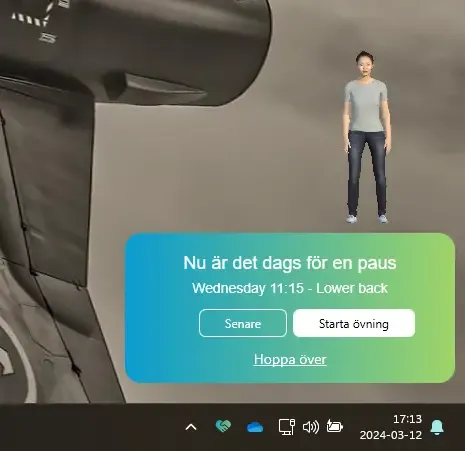
Step 1: Installation PC/Mac
As part of the new installation, the previous version of Pausit will be uninstalled.
Keep in mind that you need to be connected to KI's network to install, either by being in the office or by connecting via VPN.
Institution/department within Coordinated IT
All employees belonging to an institution/department within Coordinated IT can install the program themselves:
- For PC: Go to the Start-menu in the bottom-left corner and search for Pausit Coach in the Software center.
If you have a Windows-11 computer, search in the Company Portal instead. Välj Pausit Coach. - For Mac: Go to Self service. Select Pausit Coach.
Clarification regarding installations for
Step 2: Follow the manual
When you have installed the program follow this manual.
Institutions outside Coordinated IT
For employees belonging to institutions outside Coordinated IT, contact the respective License Coordinator for installation.
Support
If you require assistance installing Pausit, you are welcome to start a support case via KI IT Self-service.
For questions about the program Pausit Coach, please contact support@pausit.se
More information for logged in staff
There is more information for those of you working in the following groups
- K1.K1 Department of Molecular Medicine and Surgery